.png)

Getting Started with Luma Protocol – Easy Registration Guide
Follow our simple step-by-step guide to register on Luma Protocol. Create your wallet, connect PopChain, and start earning with DeFi 3.0 in minutes.
Step-by-Step Guide
Follow this step-by-step guide to register on Luma Protocol.
Register on Nivex
Create your account on Nivex Exchange:
1. Enter your email and password.
2. Complete verification if required.


Install Token Pocket & Add Wallet
Download and install the Token Pocket wallet application from the official App Store (iOS) or Google Play (Android).
Once installed, open the Token Pocket app and tap the “Add Wallet” button to begin creating a new wallet.
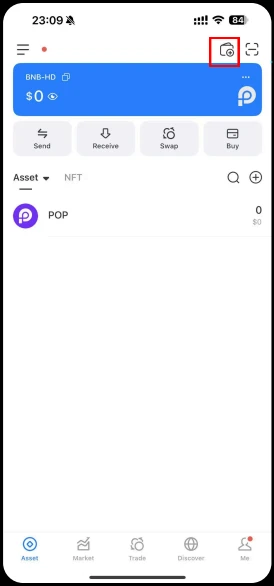
Connecting the POP blockchain network
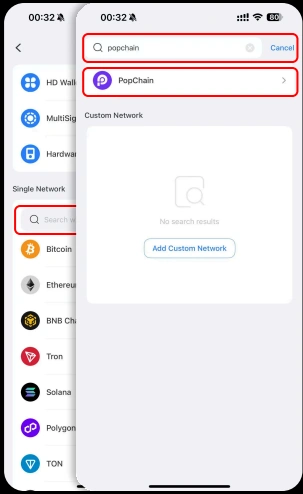
In the “Single Network Wallet” section, go to the Search Bar. Type “PopChain” and select the PopChain option from the results.
Create and Secure Your Wallet
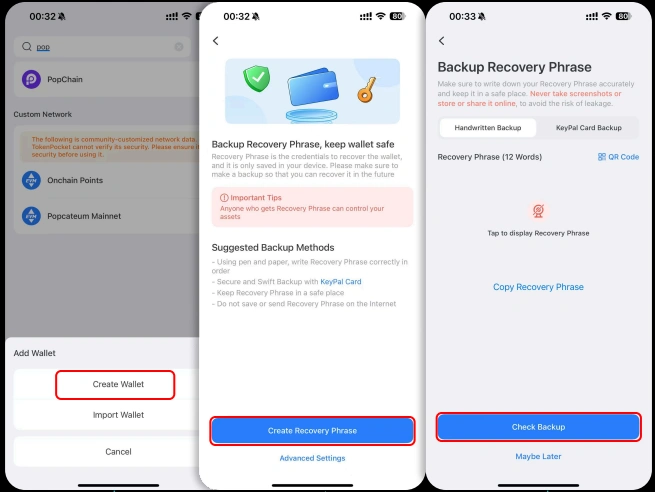
Click “Create Wallet” to generate a new PopChain wallet. Carefully complete the Mnemonic Verification process and securely back up your seed phrase. Store it in a safe place, as it is the only way to restore your wallet if needed.
Add PopChain Public Chain Wallet
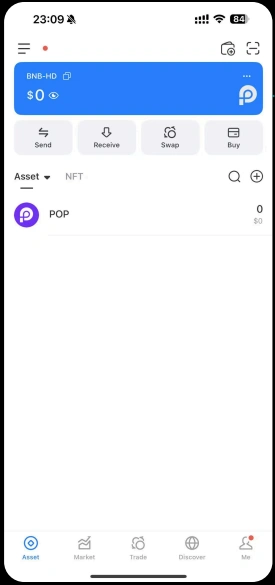
Once verification is complete, your PopChain Public Chain Wallet will be successfully added to your wallet application.
Access the Discover Page
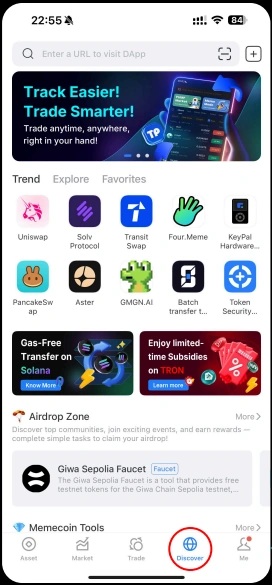
After creating your wallet, navigate to the Discover Page in your wallet app. This section allows you to connect with dApps and external services.
Enter the Invitation Link
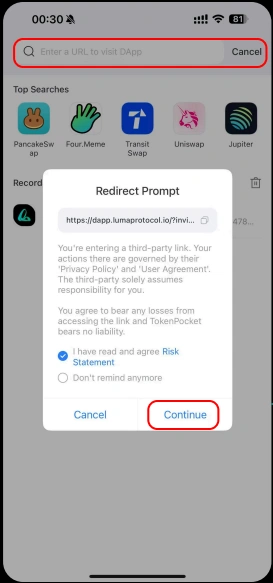
In the search bar of the Discover Page, paste your Invitation Link. Click “Continue Access” to proceed to the binding page.

Confirm the Binding Relationship
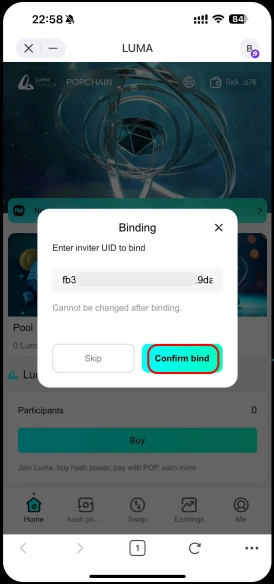
When the Binding Relationship Prompt Box appears, review the details and click “Confirm Binding” to connect your wallet with the inviter’s account.
My UID for verification:
bc86cfe7de2542489e0e4e07ba309443
Approve the Signature Request
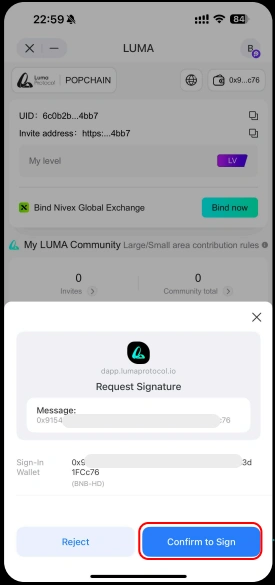
After successful binding, go to the “My” section. There, you’ll see a Signature Request—click “Confirm” to authorize and complete the binding.
View and Copy Your UID & Invitation Address
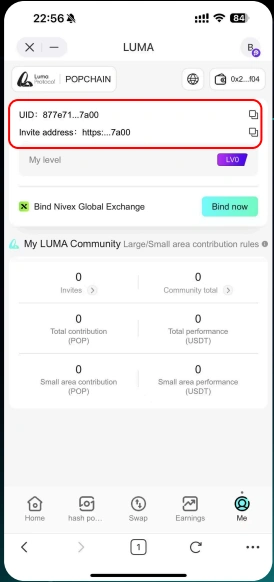
Once the signature process is finished, go to “My Page”. Here you can view and copy your UID (User ID) as well as your Personal Invitation Address, which you can share with others.

Video Tutorial
Why Luma?
Unlock Real Value with Luma — Sustainable, Secure, and Built to Grow