.png)

Hash Power Purchase Tutorial – Activate Your Mining Power
Follow this step-by-step tutorial to activate hash power in Luma Protocol. Set up your wallet, complete your purchase, and start generating Luma token.
Hash Power Purchase Tutorial
Step-by-step guide to activating your computing power in Luma Protocol
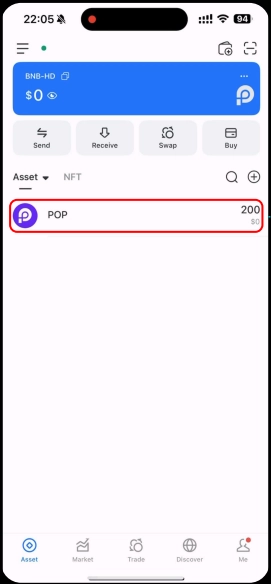
Open the Token Pocket wallet
Open the TP wallet. Confirm that the wallet is based on the Pop Chain public blockchain. Ensure that the POP top-up is complete.
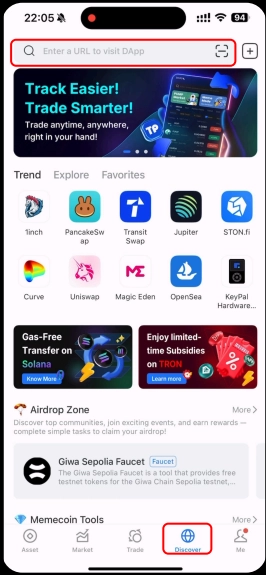
Access Luma via Discover
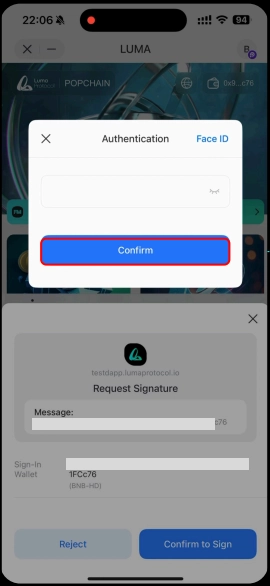
Click the Discover page. Enter your address and enter LUMA. Confirm your signature and enter your password
Start the Purchase
Click to buy
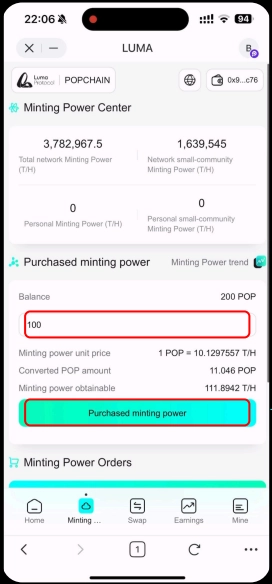
Enter Purchase Amount
Enter the amount of USDT you want to purchase (in multiples of 100). After clicking Purchase, the amount will be automatically converted to the corresponding amount of POPs
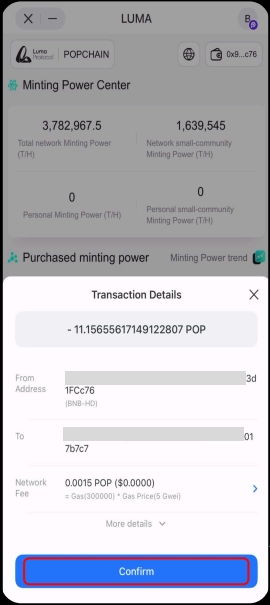
Confirm the Transaction
Click Confirm and enter your password
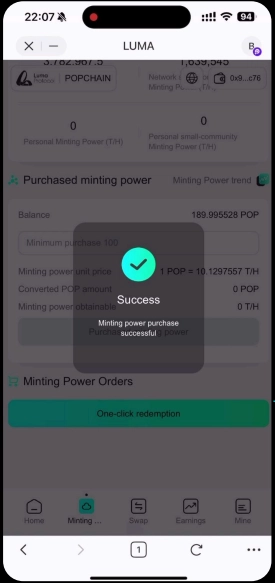
Purchase Successful
Computing power purchase successful
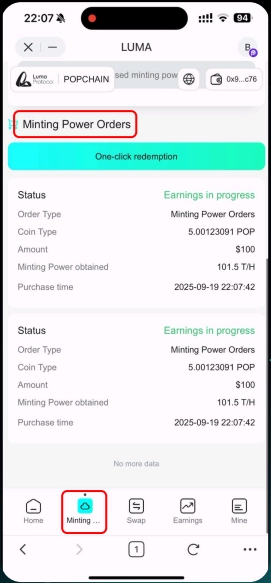
Check Your Hash Rate Orders
Scroll down the hash rate page to view the hash rate order status.

Video Tutorial
Why Luma?
Unlock Real Value with Luma — Sustainable, Secure, and Built to Grow